Pichellya Script: A Unique Brush-Style Font for Creative Expression
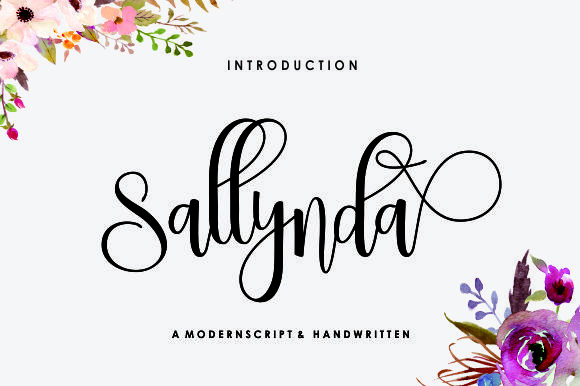
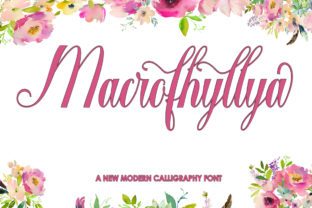
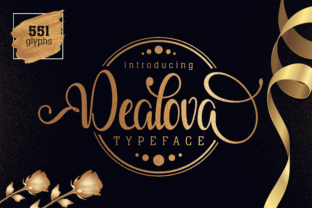
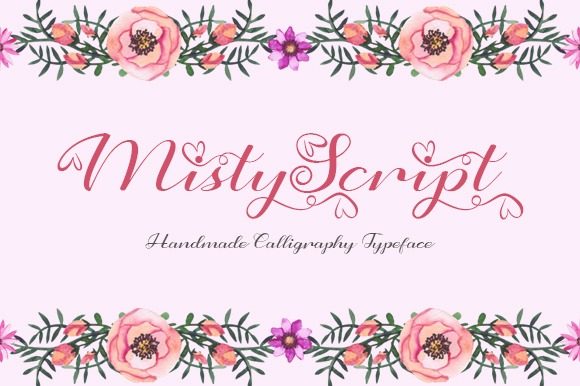
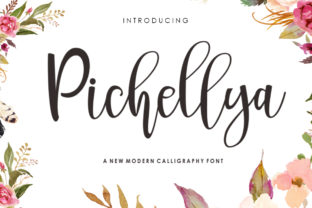
The Pichellya Script is a modern script font that brings a handcrafted, artistic touch to any design. Created with a brush and ink, it features an irregular baseline that mimics the natural flow of handwritten text. This distinctive style makes it ideal for a wide range of applications, from watercolor designs to branding, t-shirts, weddings, social media posts, and more. Whether you're a designer, marketer, or hobbyist, Pichellya Script offers a versatile and expressive way to elevate your visual communication.
Its organic feel adds warmth and personality to projects that might otherwise feel too rigid or digital. However, while its aesthetic appeal is undeniable, there are several common pitfalls to avoid when working with this font. Understanding these challenges can help you make the most of Pichellya Script and ensure your designs look polished and professional.
Common Mistakes When Using Pichellya Script
One of the most frequent mistakes users make is assuming that Pichellya Script will automatically enhance every project. While it’s visually striking, it may not be suitable for all types of content. For example, using it in long paragraphs or technical documents can reduce readability. The irregular baseline and flowing strokes work best in short phrases, headlines, or decorative elements where visual impact is more important than legibility.
Another oversight is not considering the context in which the font will be used. Pichellya Script has a casual, artistic vibe, which may clash with formal or corporate branding. If your goal is to convey professionalism, this font might not be the best choice. Instead, it shines in creative industries such as handmade products, wedding invitations, or social media content where a personal, artisanal feel is desired.
Some users also fail to check the licensing terms before downloading or purchasing Pichellya Script. Not all fonts are free for commercial use, and using a restricted font without proper permission can lead to legal issues. Always review the license agreement to ensure you’re compliant, especially if you plan to use the font for business purposes like branding or product packaging.
How to Avoid Common Pitfalls
To get the most out of Pichellya Script, start by identifying the right use cases. Use it for headings, logos, quotes, or other short-form text where its unique style can add character. Avoid using it in body text or large blocks of copy, as this can make your design appear cluttered or difficult to read.
Before downloading or purchasing, verify the font’s licensing details. Many designers offer Pichellya Script under different licenses, including personal and commercial use. If you're unsure, reach out to the creator or check the font’s website for clear information. This step can save you time and prevent potential conflicts down the line.
It’s also wise to test the font in different sizes and formats. What looks great at 72 points may not work well at 12 points. Experiment with spacing, color, and background to see how Pichellya Script interacts with other design elements. This trial-and-error process helps you refine your approach and achieve better results.
Best Practices for Working With Pichellya Script
When incorporating Pichellya Script into your designs, consider pairing it with complementary fonts. A clean, sans-serif font like Helvetica or Arial can balance the script’s fluidity and create a more harmonious layout. This contrast helps maintain visual clarity while still allowing the script to stand out.
Additionally, pay attention to the overall tone of your project. Pichellya Script works well with soft, pastel colors or muted tones that reflect its organic nature. Bright, high-contrast colors may overwhelm the font’s subtle texture. Choose a palette that enhances the font’s charm rather than competing with it.
Finally, don’t forget to back up your work. Since Pichellya Script is a custom font, losing access to it could disrupt your workflow. Keep a copy of the font file on a secure drive or cloud storage, and ensure your design software is compatible with the font format (such as .OTF or .TTF).
What to Check Before Using Pichellya Script
Before finalizing your design, double-check that Pichellya Script displays correctly across different devices and platforms. Some operating systems or software may render the font differently, affecting its appearance. Preview your work on multiple screens to ensure consistency.
Also, consider the target audience. If your project is intended for a broad demographic, make sure the font aligns with their expectations. For instance, a wedding invitation using Pichellya Script may resonate more with couples looking for a vintage or artistic theme than with those who prefer minimalist designs.
Lastly, evaluate the font’s performance in various formats. Whether you’re designing for print, web, or social media, Pichellya Script should maintain its quality and readability. Test it in each medium to confirm it meets your standards.
Conclusion: Make Informed Choices With Pichellya Script
Pichellya Script is a powerful tool for adding creativity and personality to your designs. Its brush-like texture and irregular baseline set it apart from other fonts, making it a favorite among artists, marketers, and small business owners. However, its effectiveness depends on how it’s used.
Avoid common mistakes by understanding its limitations, checking licensing details, and testing it in real-world scenarios. By making informed decisions, you can harness the full potential of Pichellya Script and create designs that are both beautiful and functional. Whether you're working on a personal project or a professional campaign, this font offers a unique way to express your vision with style and authenticity.